Introduction
The Maze Game is a simple 2D game implemented in Python, leveraging the Pygame library for graphics. The project simulates a maze where a rat character navigates through obstacles and collects items (sprouts). This document breaks down the core components of the game, explaining the purpose of each module and how they interact to create the game experience.
Code Breakdown
Maze Class (maze.py)
The Maze class is the central component of the game, responsible for creating and managing the maze layout.
It initializes a 2D grid representing the maze, handles the placement of the rat character, and manages the state
of the game as the rat collects sprouts and moves through different levels.
Monster Module (monster.py)
The monster.py module initializes the game window and handles user inputs to control the rat's movement.
It uses Pygame to render the game visuals, updating the screen in response to player actions. The module also defines
the visual representation of the maze and the rat's interactions with the environment.
Rat Class (rat.py)
The Rat class encapsulates the behavior of the rat character. It includes methods for moving the rat in
different directions, updating its position, and tracking the number of sprouts it has consumed. The rat's state
is updated based on player input and interactions with the maze.
Code Samples
maze.py
This snippet sets up the initial maze structure as a 2D grid with walls (#), empty spaces ( ), and a sprout (@). The maze's dimensions and the number of sprouts are also defined here.
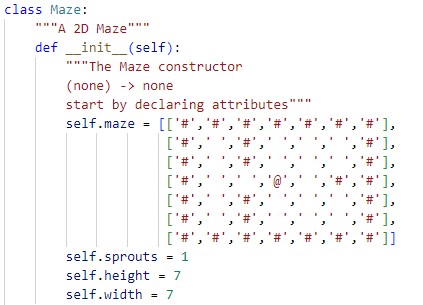
This method places the rat at a specific position in the maze, which is crucial for updating the maze state as the rat moves.

monster.py
This snippet handles the rat's movement to the right. It checks if the next position is a wall (#) or a sprout (@), moves the rat if possible, and updates the maze and rat's state.

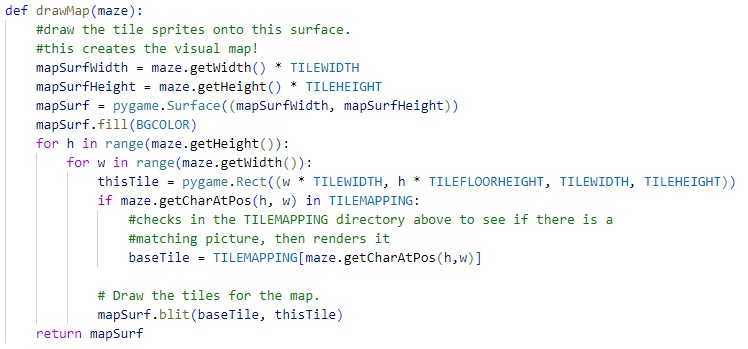
This function draws the maze on the screen, mapping each character in the maze grid to a corresponding image. It’s essential for visualizing the game state.
rat.py
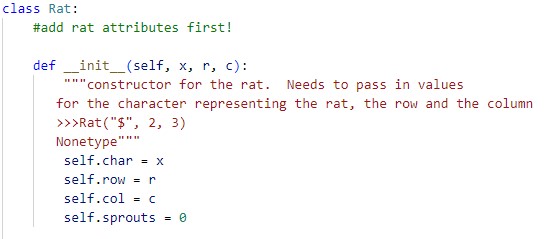
This initializes the rat's position and the number of sprouts it has eaten. This setup is critical for tracking the rat's movements and progress.
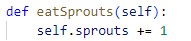
This method increments the number of sprouts the rat has eaten, which is key to progressing in the game.
Solution Visualization
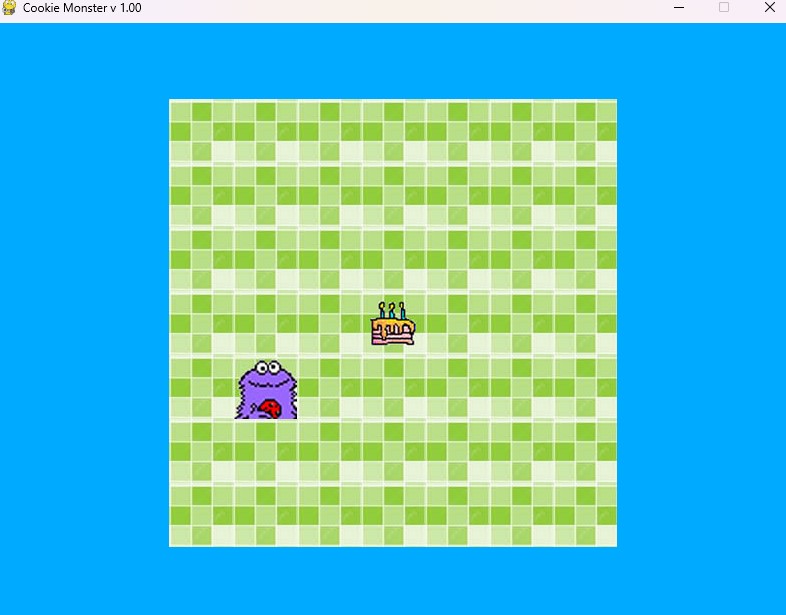
Below is an example of the printed output illustrating how the solution is presented:
Conclusion
The Maze Game provides a hands-on example of how Python and Pygame can be used together to create a simple interactive game. By breaking down the code into modules, the project demonstrates the importance of organizing code into manageable pieces and highlights how classes can encapsulate game logic. Further enhancements could include adding new levels, introducing more complex maze designs, or integrating additional gameplay features.